Doppio
Solo Project
2023
Product Design
UX Research
Branding
What it is
A community-driven coffee brewing app that turns recipes into interactive, step-by-step experiences.
Home-baristas love the ritual of brewing coffee, but feel limited by what they think their equipment can do. Doppio puts a community of real people and their recipes at the center, making it easy to discover new ways to brew with the devices you already own.
The insight
I interviewed 6 home-brewers across New York and Hyderabad. Two patterns dominated every conversation:
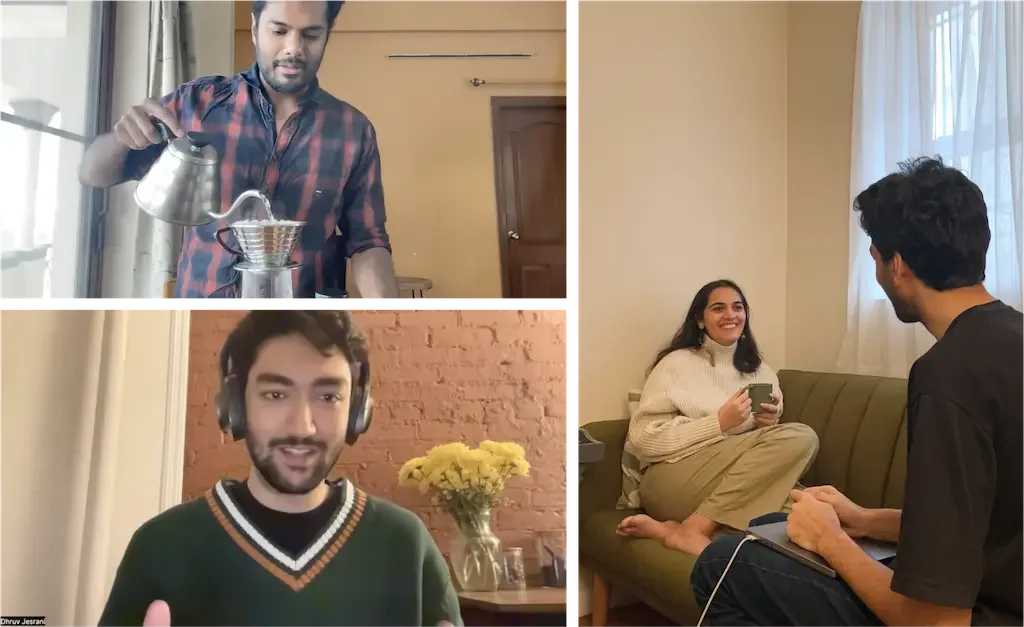
People are drawn to the ritual of making coffee at home. The meditative, step-by-step process matters as much as the cup itself.
Meta-insight 1 →
“Making coffee at home is a personal experience – my own me-time. Don’t want to make coffee in a rush.”
“I love the process! Sometimes I don’t even want to drink, but still brew nonetheless. It’s relaxing, a state of zen. It’s just me, and getting each step of the way right.”
“Brewing at home is more ritualistic; going to cafés is more for a meeting place, or for some working time.”
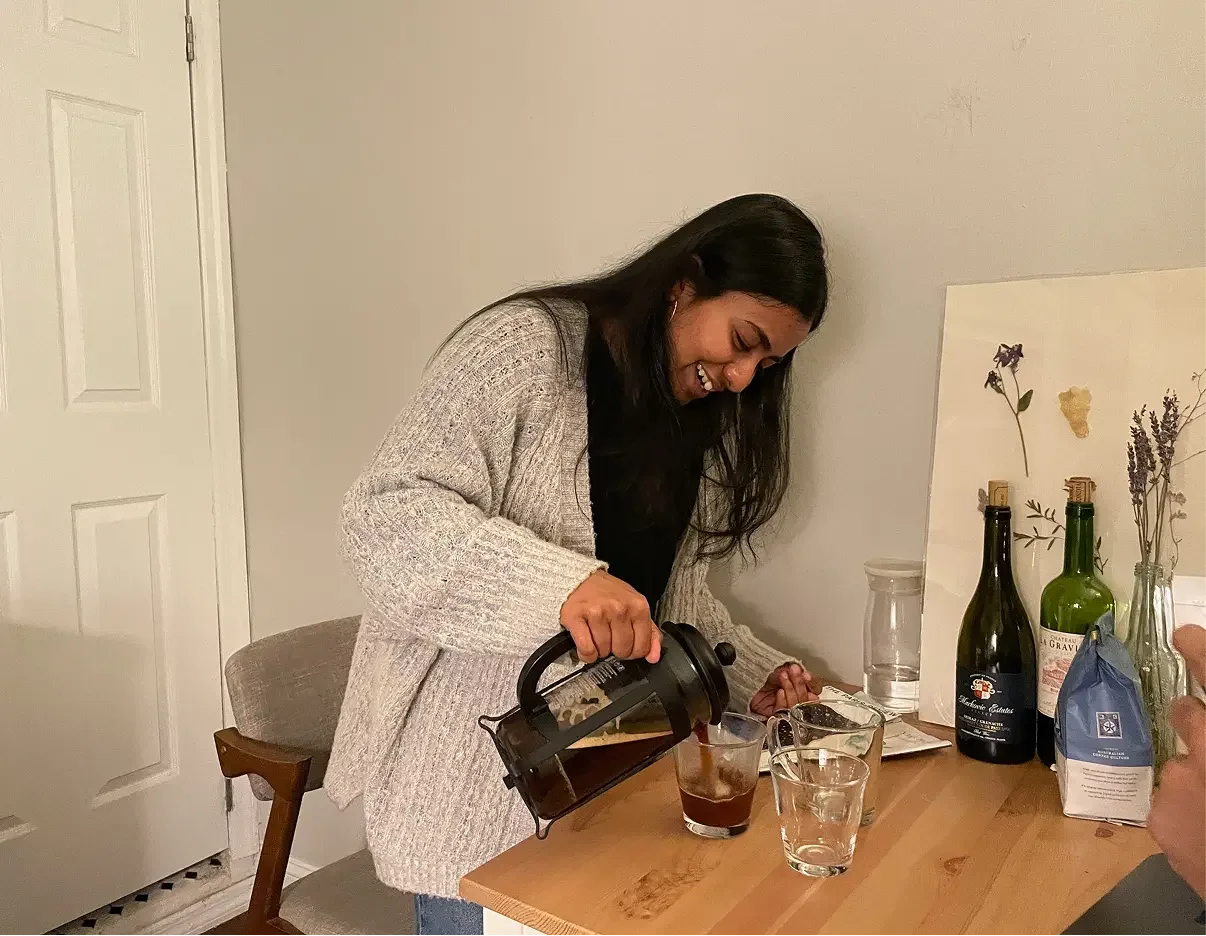
But they believe cafés can offer more variety than they can achieve on their own, even though their equipment is more capable than they realize.
Meta-insight 2 →
“I prefer going to cafés for the variation in the number of options involved. I also don’t have a pour-over setup.”
“I don’t consider myself a pro at brewing. I’m not acing it but I guess being a good barista could completely change my experience.” “I don’t have the equipment to brew cortados at home.”
“Coffee shops have more diversity to offer than I can make at home.”
How might we highlight the versatility of people's existing brewing devices, making home-brewing approachable and engaging for all skill levels?
This opened a clear design question:
From 4 ideas to 1
I prototyped four divergent concepts and tested them with my user group:
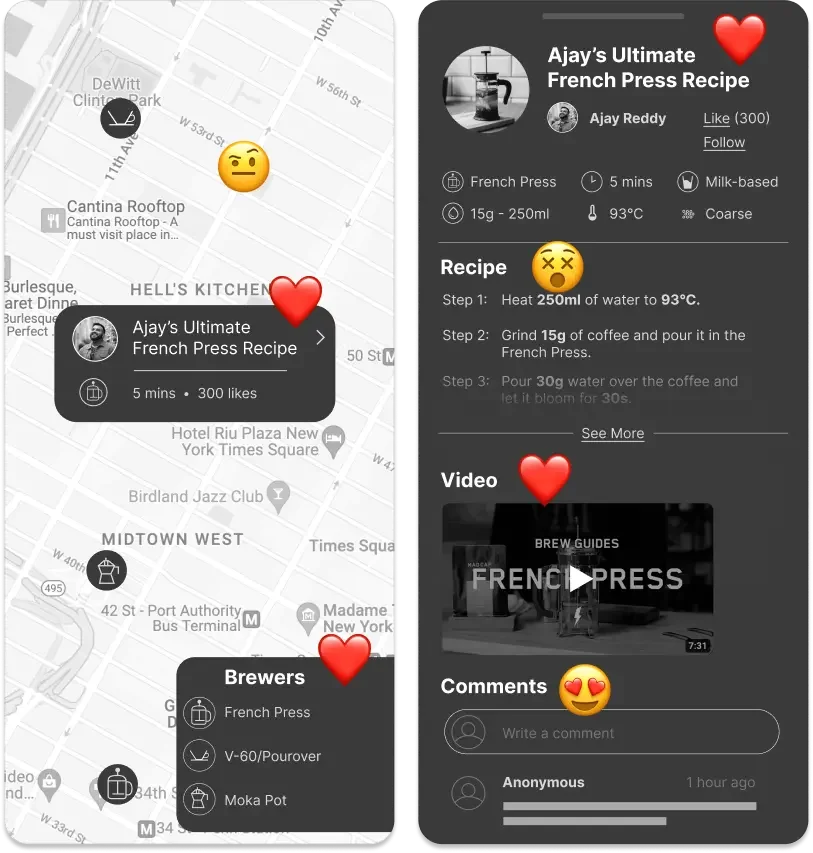
a location-based community platform
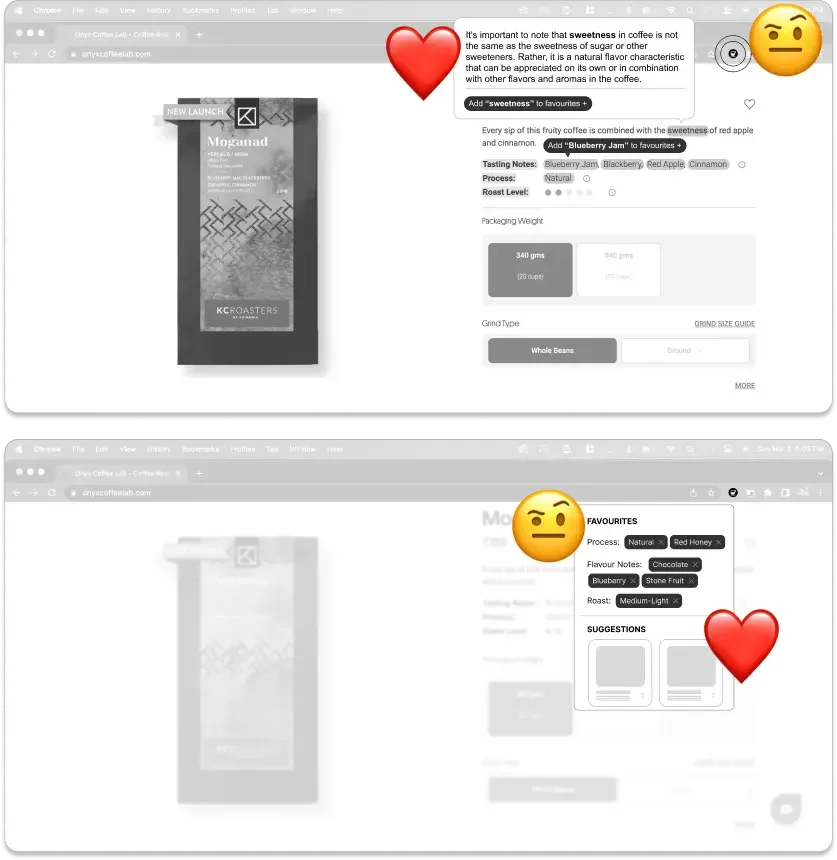
a jargon-simplifying browser extension
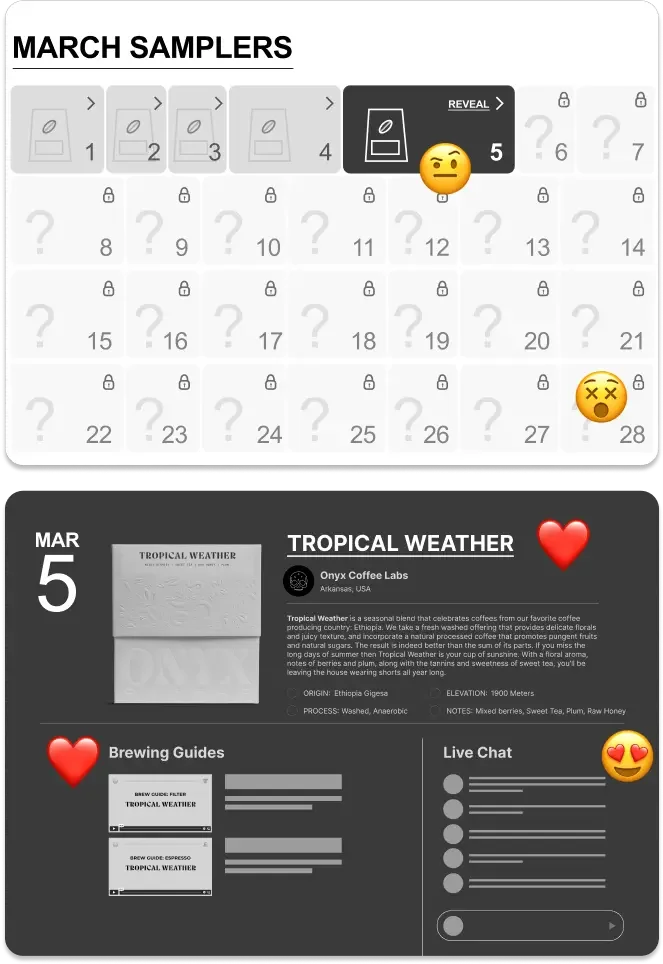
a mystery coffee subscription
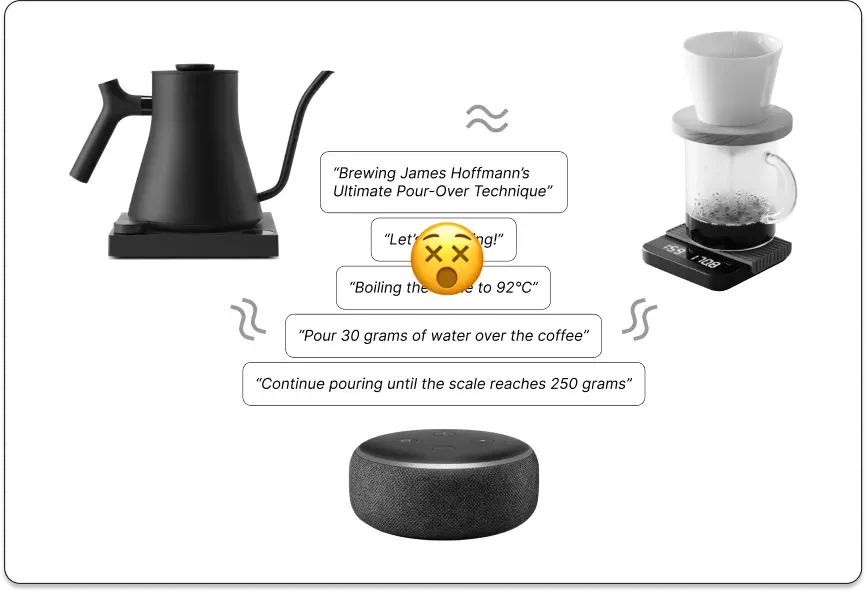
a smart brewing station
The community platform won decisively. Three things resonated most:
discovering new ways to use their existing brewers,
a dynamic community at the centre,
and real people's opinions over generic listicles.

The product
Doppio is a platform where users view, share, and brew coffee recipes with a community of like-minded coffee lovers. It caters to all skill levels and brewing devices: French Press, V-60, Moka Pot, Aeropress, and more.
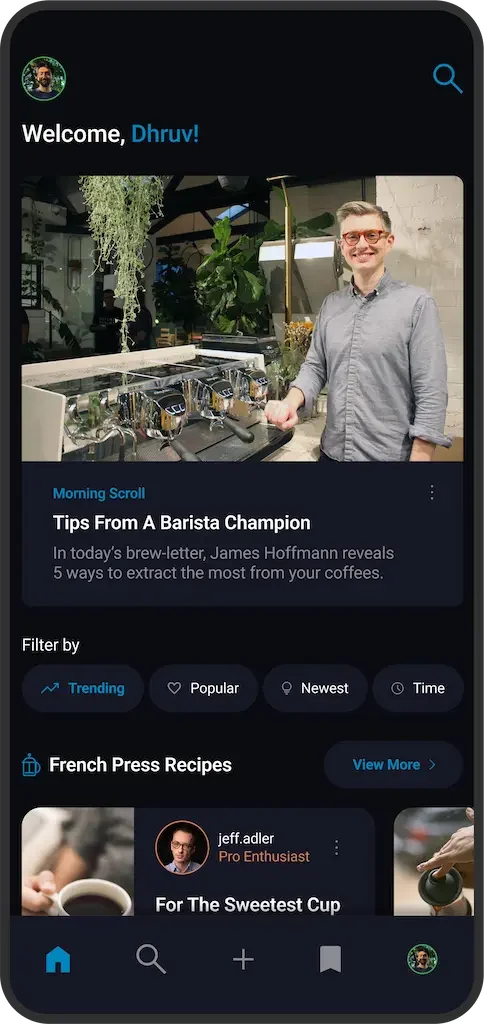
Home page →
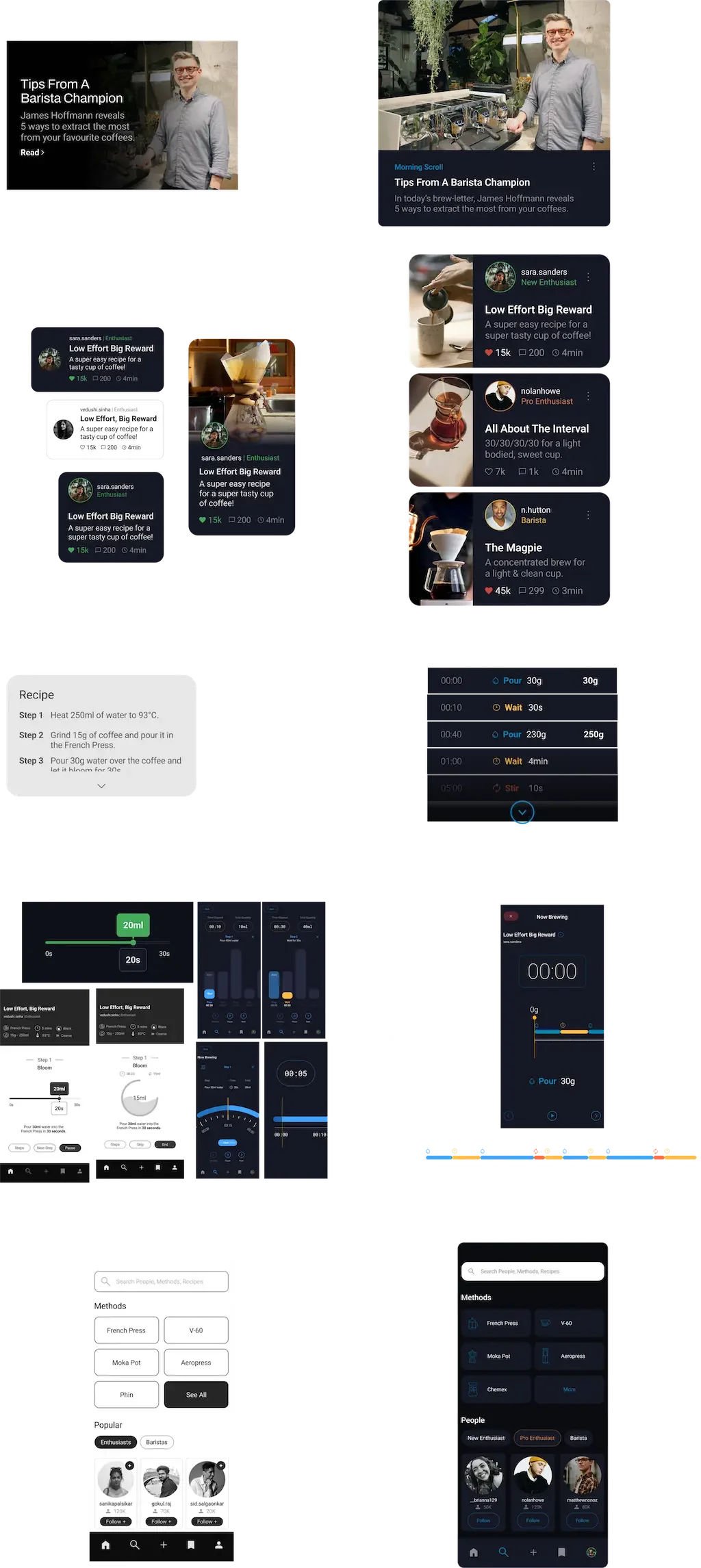
A daily rotating feature card surfaces curated articles, videos, and coffee content. Below it, community-uploaded recipes are organized by brewing method, each showing the creator's skill level, a description, and imagery.
Filters let users sort by trending, popular, newest, or brew time.
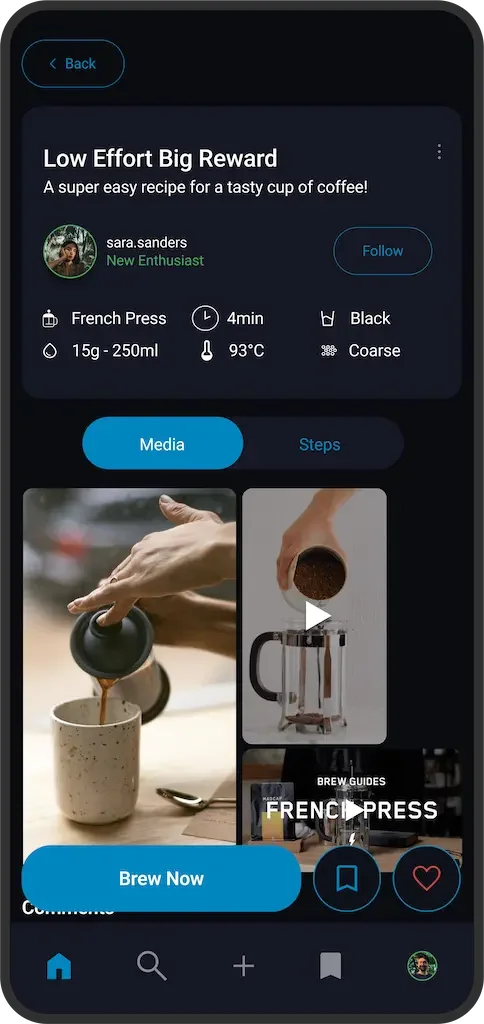
Recipe page →
Every recipe displays its core variables at a glance: method, time, drink type, ratio, temperature, and grind size.
A Media/Steps toggle lets users flip between photos and videos of the brew, and a structured step-by-step breakdown. Community comments sit below for feedback, suggestions, and validation.
Brew now →
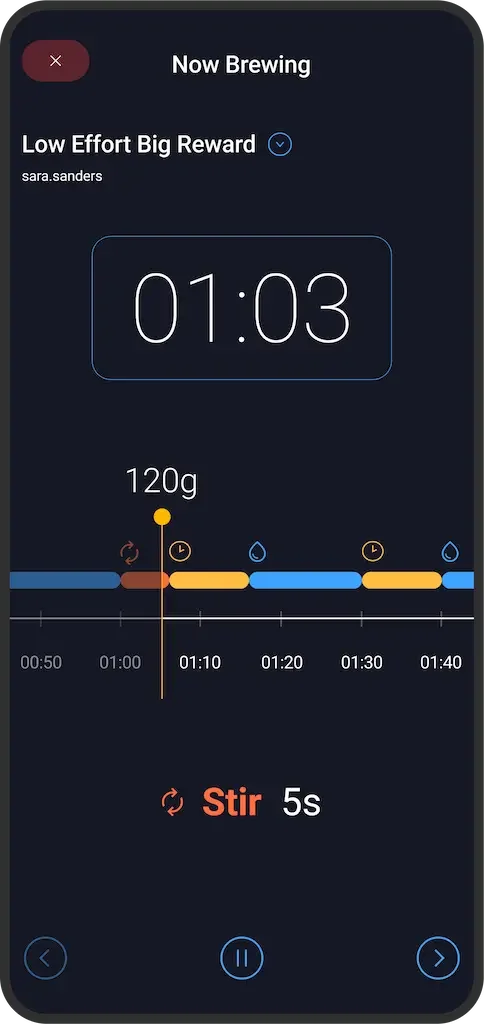
This is Doppio's signature feature. Tap "Brew Now" on any recipe and the app converts the user-inputted parameters into a live, interactive brewing experience.
A visual timeline maps the entire brew, every pour, wait, and stir, with color-coded segments you can see at a glance. The current step, elapsed time, and running total are always visible. Pre-brew instructions specific to the brewing method help users prepare before the timer starts.
The design went through multiple iterations to get here. It evolved from a simple slider, to a circular gauge, to bar-chart visualizations, before arriving at the horizontal timeline that lets you see the full brew at once.
Search page →
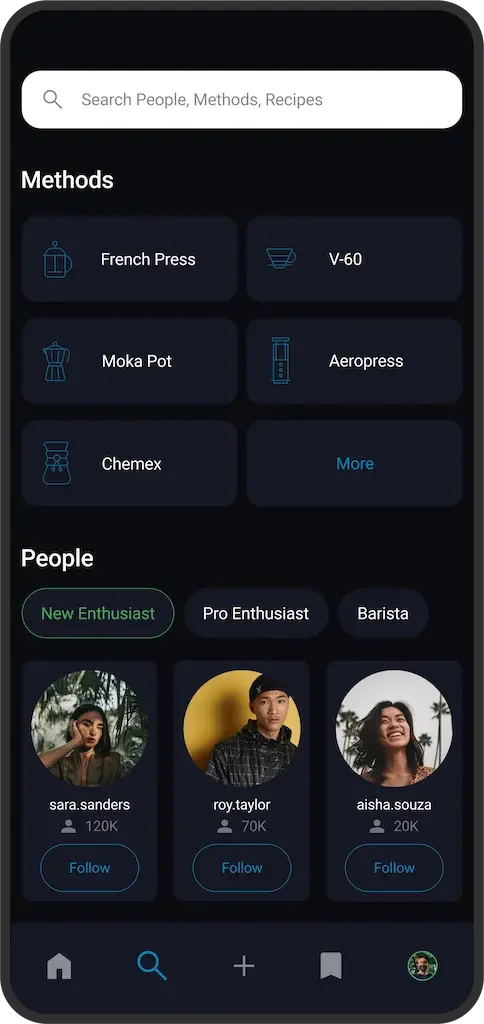
Users search by people, brewing methods, or recipes. The methods grid surfaces every supported brewer.
People are filterable by skill level (New Enthusiast, Pro Enthusiast, and Barista) so beginners can find creators at their level, and advanced brewers can learn from professionals.
Design evolution →
The UI went through significant refinement between mid-fi and high-fi.
Brand →
Doppio is Italian for "double espresso."
The identity pairs a blue starburst mark with a warm serif wordmark.
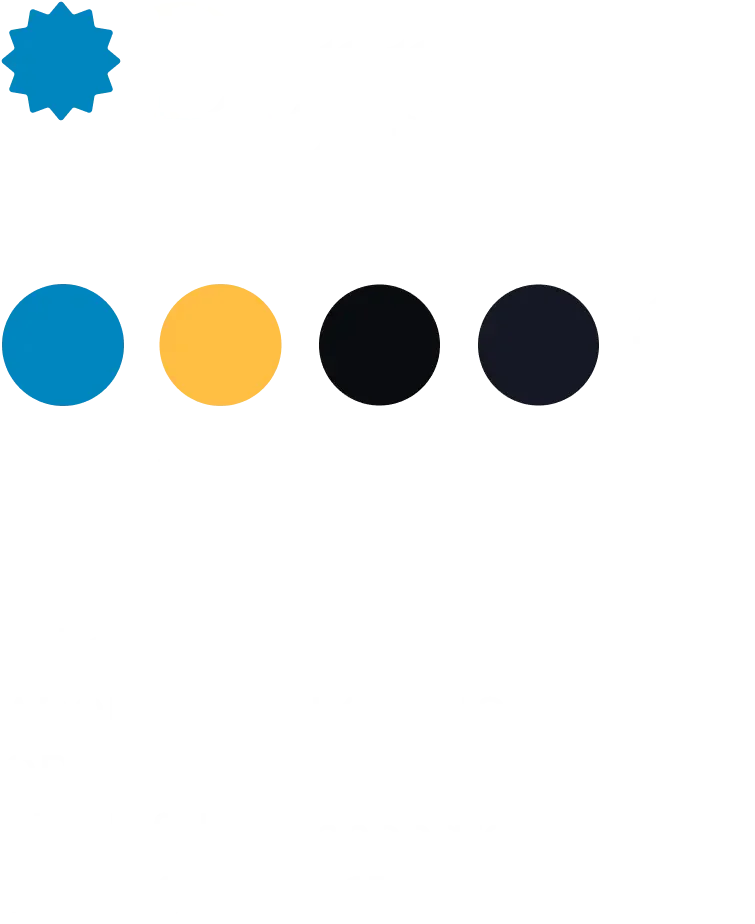
The dark UI palette is designed for kitchen-counter readability and keeps the focus on food photography.
Typography is Roboto throughout for clarity at small sizes on mobile.
Thank you!