
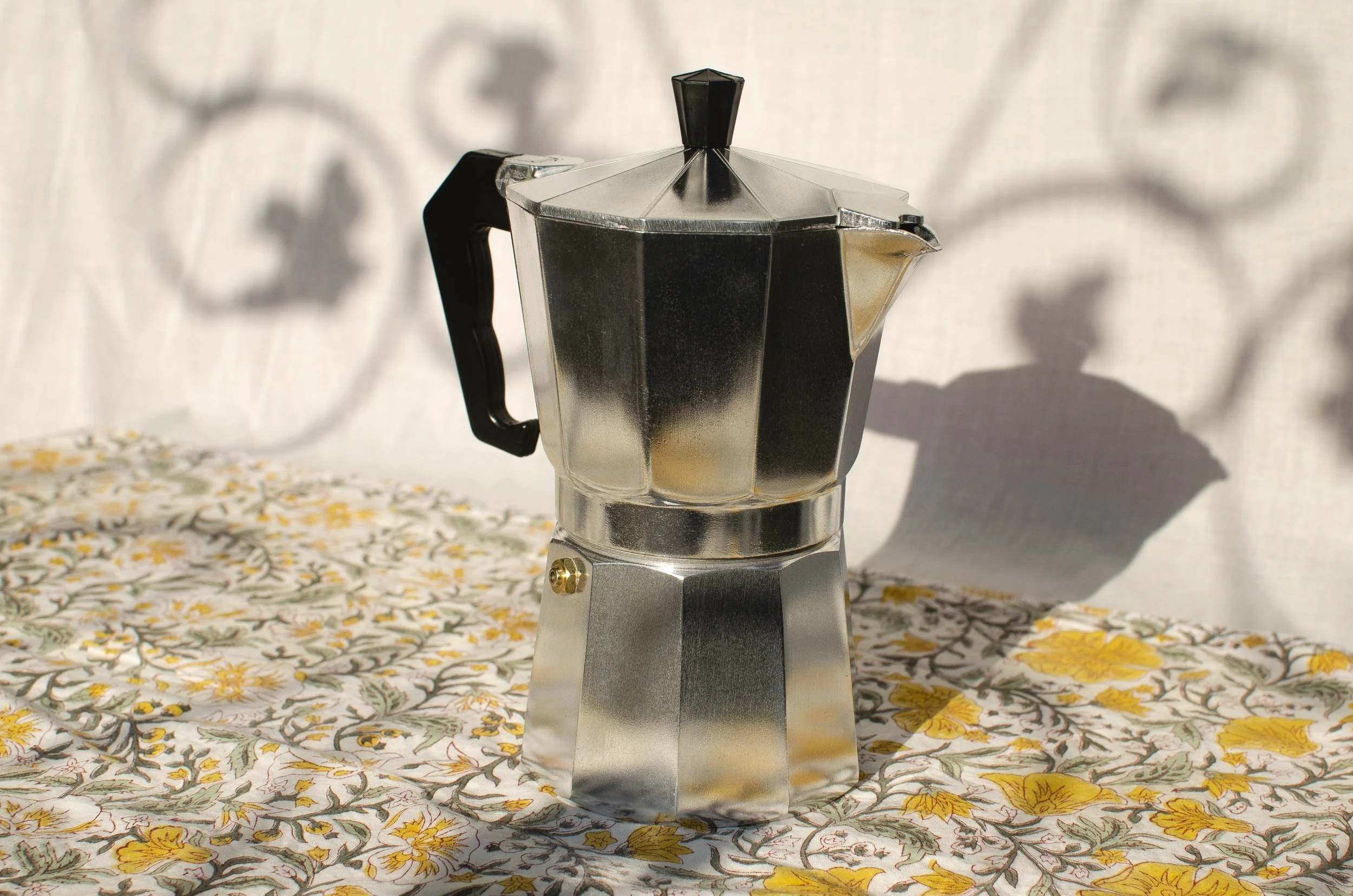
Cloudy with a Chance of Caffeine
A web product that takes the guesswork out of your favorite morning ritual.
Solo Project
HTML, CSS, Javascript, Figma, Notion, GitHub
Product Design
Web Design
Coding
The problem
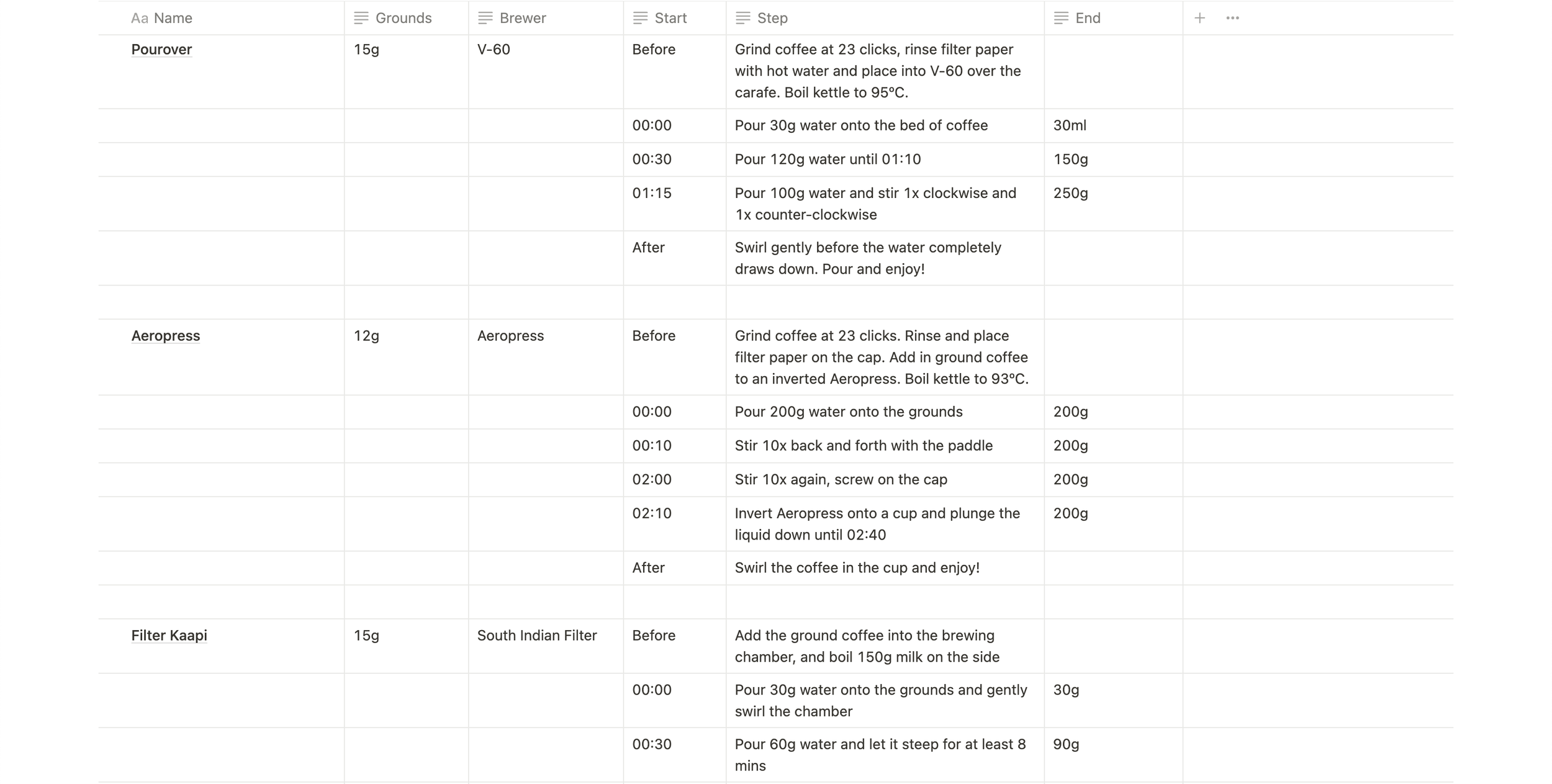
When I first got into coffee brewing as a hobby, I did not realize the rabbit holes I was going to dive so deeply into. The pursuit of the perfect, sweetest cup brought into my collection a whole range of brewing gear and equipment like kettles, scales, drippers, percolators, and even a manual espresso machine.

With each brewing device requiring its own recipe with different parameters, I found my patience and interest in this hobby slowly waning. Over time, I managed to organize all the information into a methodical database that I could reference at any given time. However, being faced with every recipe during each brew quickly proved to be impractical and tedious.
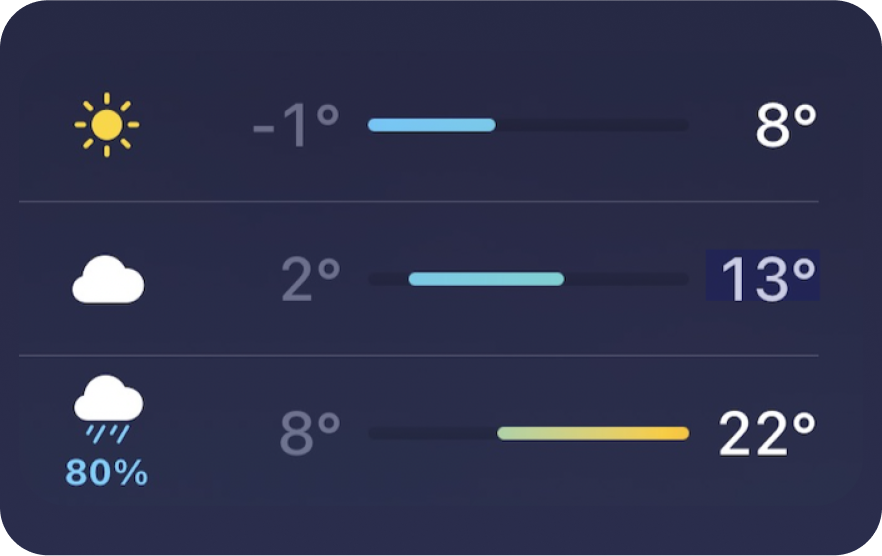
Another variable that proved itself unpredictable was the weather in New York at the time (Spring 2023). The attached screenshot shows the discrepancy from one day to the next, with one day being a sunny -1°C (or 30.2°F) and the next peaking (and raining) at 22°C (or 71.6°F).
I was faced with the challenge of deciding whether to brew a hot coffee or a cold/iced coffee and then choosing the brewing device and recipe to use for the same.
How-Might-We
How might we brew the best possible coffee using the most appropriate brewing method despite unpredictable weather?
Final design
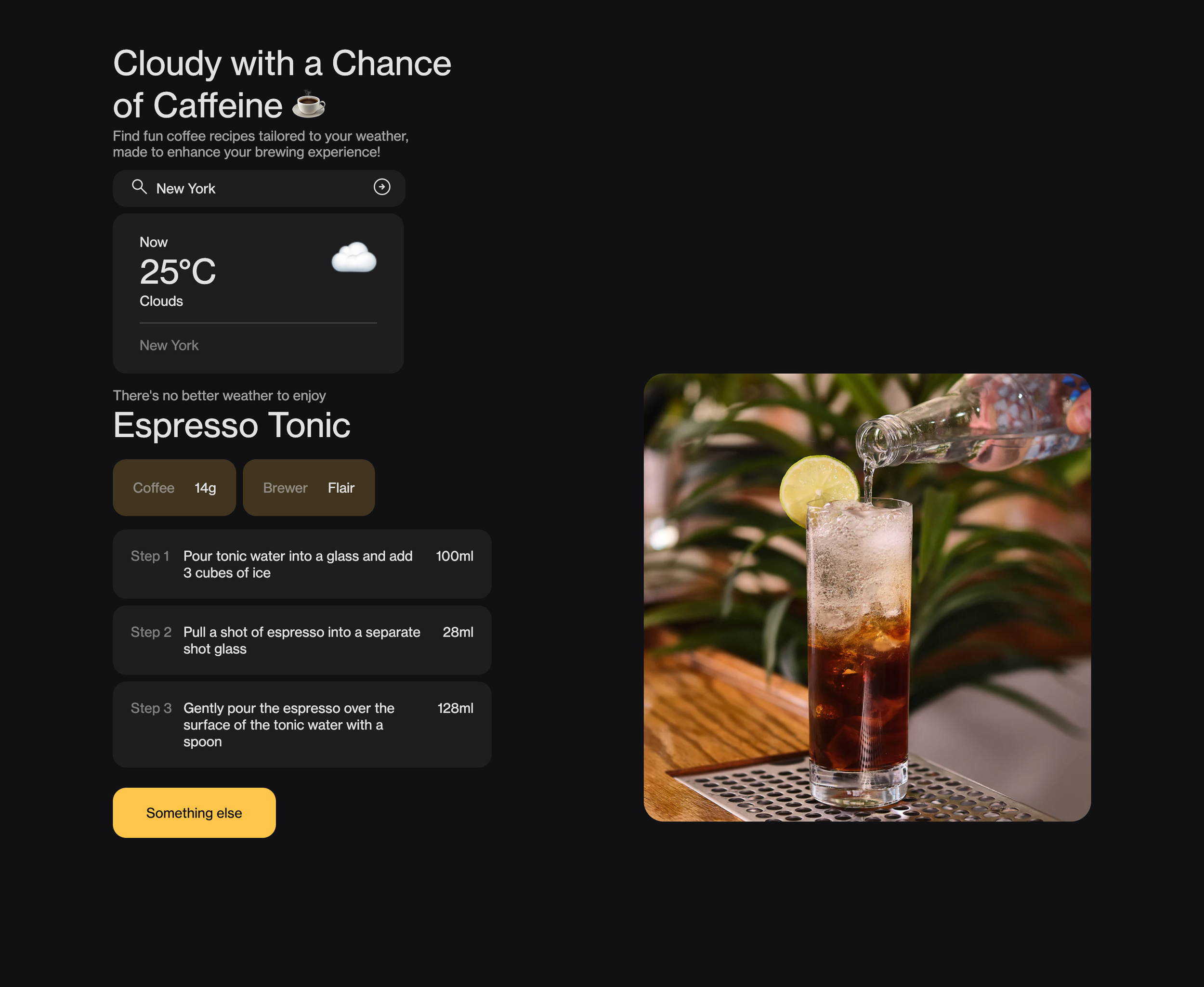
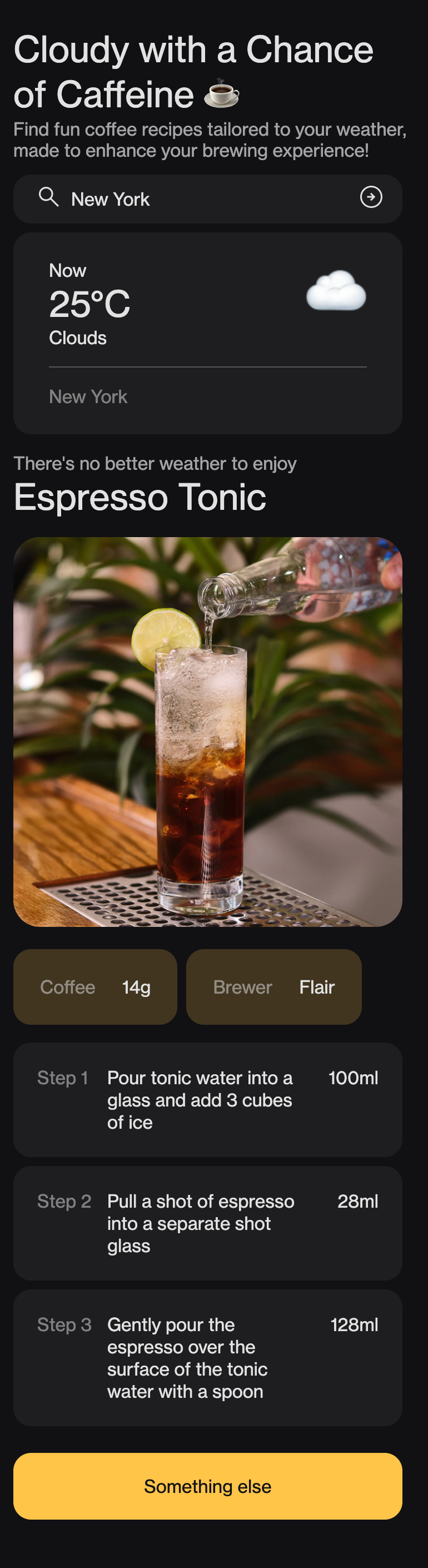
Cloudy with a Chance of Caffeine takes out the guesswork in the coffee brewing process. Once a location (city, state, country) is inputted, the website fetches its current weather and forecast and suggests an appropriate step-by-step coffee recipe for those conditions. Clicking on the “Something else” button chooses another recipe from the database while remaining appropriate to the weather condition.
Sketches & Prototypes
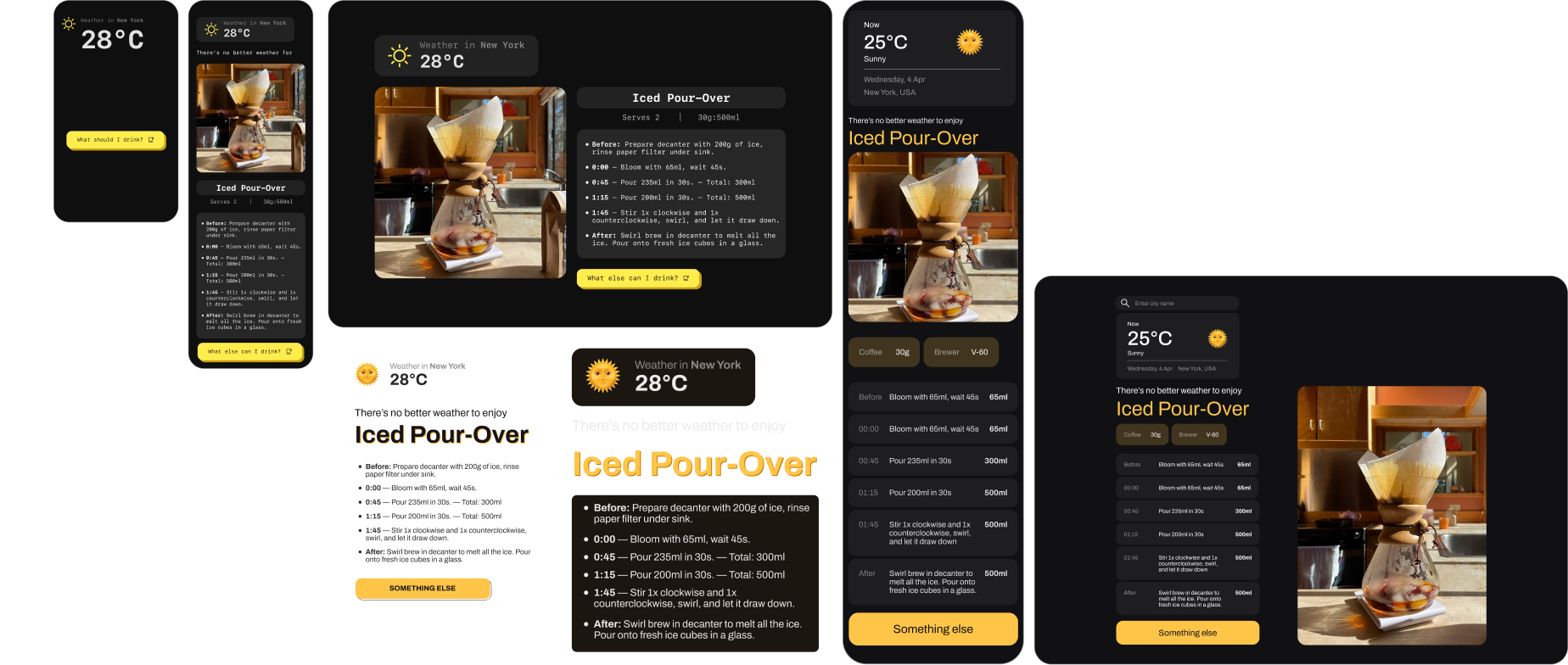
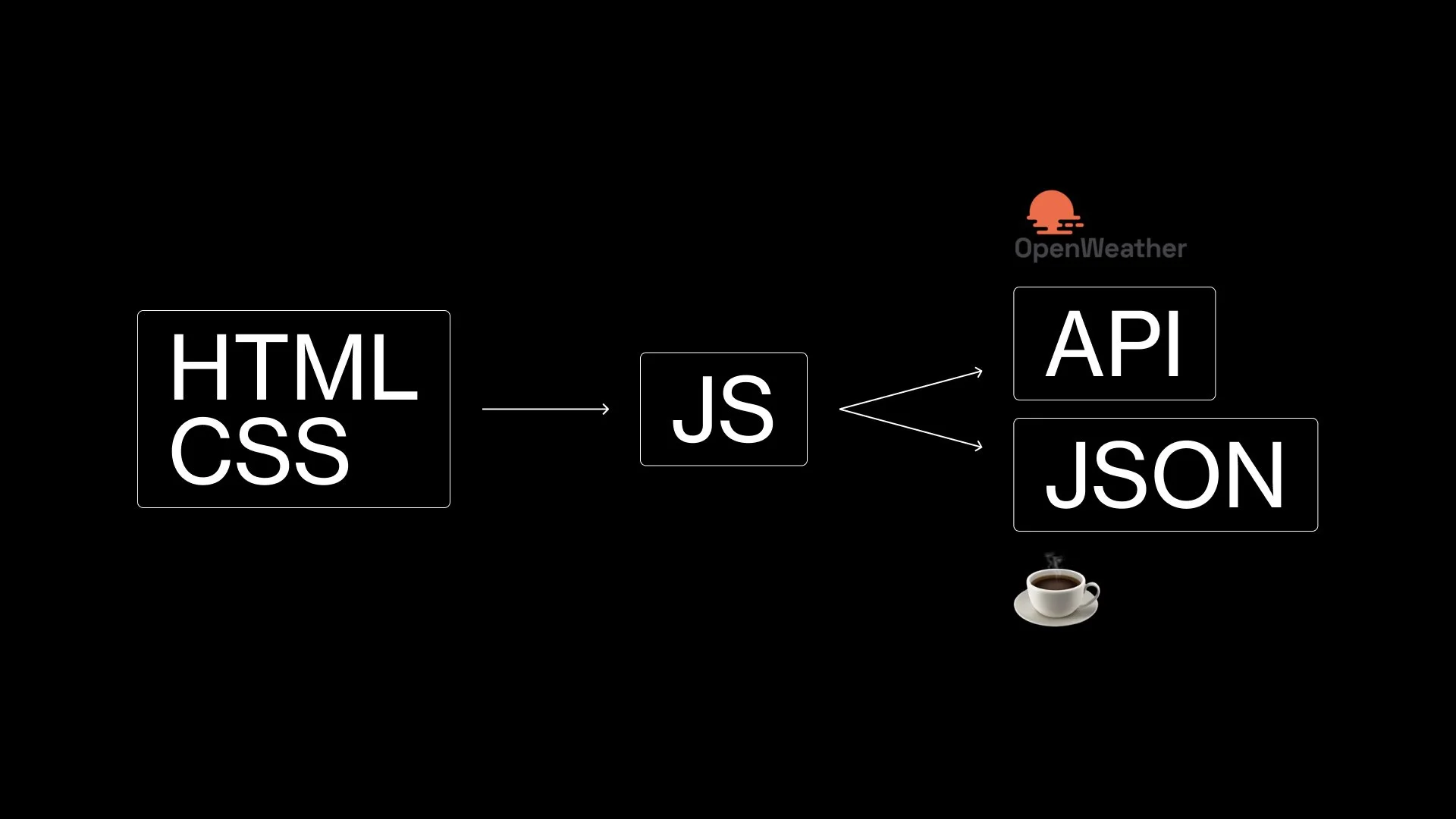
Developing this website involved:
→ A mobile-first approach
→ Initial sketching and prototyping in Figma to lock down on the general look and feel
→ Creating a local JSON database for the coffee recipes and correlating them with temperature ranges (0°C-10°C, 11°C-20°C, 21°C-30°C+)
→ Finding an appropriate weather API (OpenWeather, in this case)
→ Javascript to fetch the weather from the API upon location input, choose an appropriate recipe from the JSON and display it on the screen
→ HTML and CSS for the front-end structure and aesthetics
Challenges
→ Learning to code in a new language (JS, JSON). Youtube tutorials + MDN
→ Getting the different systems (JS, OpenWeather API, JSON, HTML and CSS) to communicate with each other
→ Recipe writing + visualization
Next steps
→ Expand database of recipes, ability to change measuring units when brewing for multiple people
→ Front-end interface to input recipes for the back-end
→ Allow community recipe input
→ Better visualization of recipes - animation, videos, GIFs